

Earlier this week, Amazon made a small but important change to its Kindle FAQ page (as spotted by Good E-Reader), all-but-confirming what many E-Reader enthusiasts have known for some time: Reading on color devices doesn't quite hit the same as it does in black and white. The updated text on the FAQ page says, in part,
Though many on the internet were quick to say that this is Amazon admitting that its standard Colorsoft model and its upcoming Scribe Colorsoft aren't up to the task of regular text-based reading and writing, I don't think that's exactly what's happening here, and a quick understanding of how E Ink technology for color models might help explain why text-only novels look different when you move from a standard or Paperwhite Kindle to a Colorsoft model.
An Amazon representative reached out to us following publication saying that the FAQ has been updated to clarify that the resolution of black and white text is the same on both the Colorsoft and Paperwhite displays.
-
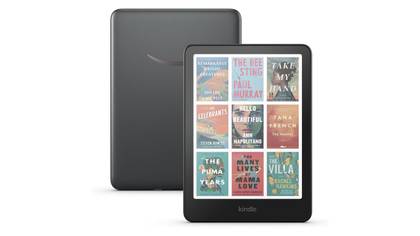
Kindle Colorsoft
- Storage
- 32GB
- Brand
- Kindle
- Screen Size
- 7-inch Colorsoft Display (300ppi BW, 150ppi color)
- Connections
- USB-C
- Size
- 5 x 7 x 0.3-inches
- Weight
- 7.7oz (219g)
Amazon's first-ever Kindle e-reader with a 7-inch color E Ink display, perfect for reading magazines, comic books or graphic novels.
-
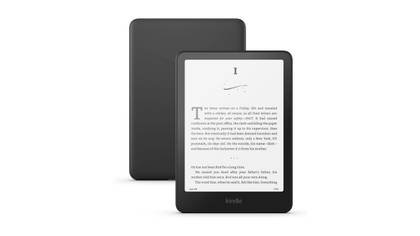
Amazon Kindle Paperwhite (12th generation)
- Storage
- 16GB
- Battery
- Up to 12 weeks
- Ports
- USB-C
- Display type
- Amazon's 7-inch Paperwhite display technology with built-in light, 300 ppi, optimized font technology, 16-level gray scale.
- Connectivity
- Supports 2.4 GHz and 5.0 GHz networks
- Measurements
- 7 x 5 x 0.3-inch
The newest generation of the Kindle Paperwhite comes in an ultra-thin design with a glare-free screen that's larger than its predecessors. With up to 12 weeks of battery life, waterproof safety, and free cloud storage, this e-reader can go wherever you do and take your whole library there as well.


Filtering in color
There's something in between you and your text

The technology that powers almost all modern color E Ink displays is called Kaleido 3, which uses an RGB Color Filter Array to present colors on the screen. This color filter sits on top of the black E Ink and mixes red, green, and blue with the underlying black and white to create a total of 4,096 colors. The technology, while it doesn't produce colors as vibrant as something you'd see on an iPad, works very well for those who read color content like comics or manga, and the effect of the color filter on top of the black and white looks similar to that of an old-school newspaper's Sunday color page.
While this technology helps bring color content to life on an E Ink display, it does put additional distance between the viewers' eyes and the text on the screen. This effect is particularly notable in E Ink Tablets like the Boox Note Max and Tab 4C which emphasize their writing capabilities. Having the additional color filter between your stylus and the screen can produce small delays and a different writing feel, which can lead to those who use these devices for drafting, drawing or taking detailed notes to prefer black and white over color.
And while the writing downsides of Kaleido technology are something I've written about before, this update from Kindle does correctly point out something that I've more or less ignored in my time with both color and black and white tablets: text sharpness.
Is the Kindle Colorsoft really worse than the standard Kindle for reading?
It's all about your usage and comfort

As you might expect, adding a filter on top of an existing E Ink display does hamper how clearly you can see text on a screen. Though it is something my eyes adjusted to rather quickly, if this is something that could hamper your enjoyment of reading a purely text-based novel, it is worth considering if you are on the fence about choosing a Colorsoft model of Kindle, or really any color-enhanced E Ink device over one with a black and white display.
Because I read a mix of comics, manga, and novels, I generally keep my Colorsoft as my "main" Kindle device. I can't say that the reduction in text sharpness has ever really hampered my enjoyment of a text-based novel on the device, but as with anything, your mileage may vary. In my review of the Kindle ColorsoftI said that if you only read novels, this device probably isn't for you, and I think that's probably true for really any color-enhanced E Ink tablet. Not only do black and white E Ink tablets have additional text sharpness, but they are often much less expensive as well.

I don't think that reading novels on the Kindle Colorsoft (or any color E Reader for that matter) is necessarily a bad experience, but if reading text is your one and only goal, I think the Kindle Paperwhite or even just the standard Kindle might be your best bet if you're looking for a new E Reader, as you're guaranteed to get the best reading experience available, with the only concession really being color cover screensavers. And if you ask me, that single feature isn't worth paying an additional $100 (or more) for in the first place.